
Service URA: direct calls without frustrating
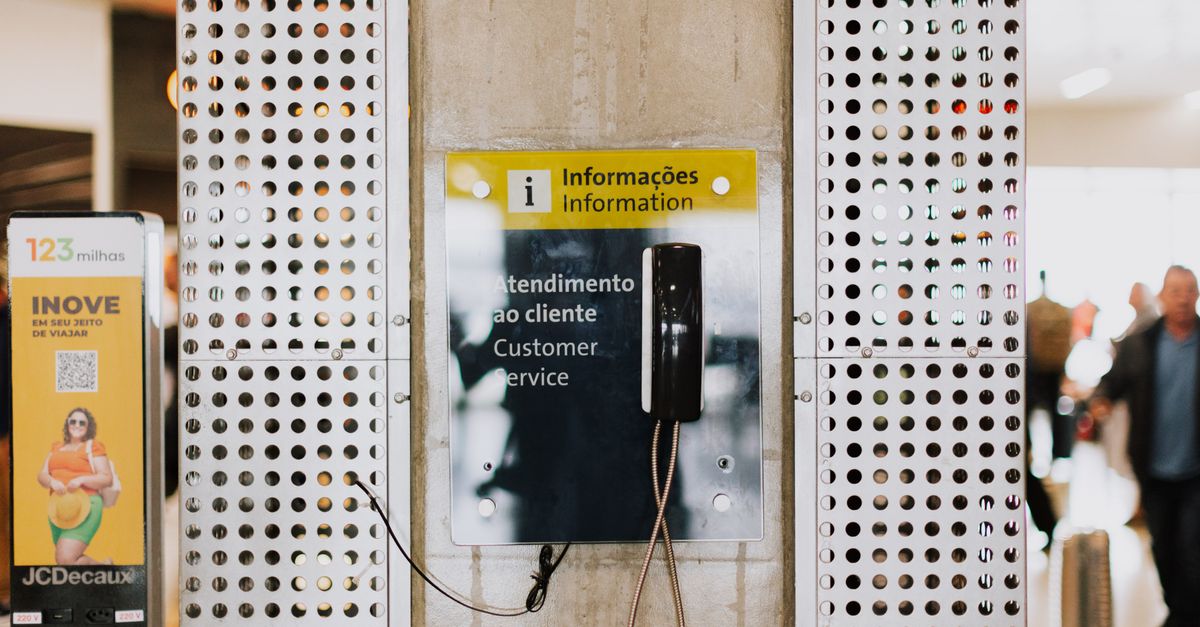
Why structuring a service URA requires more process than technology
Companies that receive a high volume of calls often set up an URA (Audible Response Unit) hoping to organize the routing by sector. In practice, long menus increase abandonment, confusing options lead customers to the wrong sector, and internal transfers keep happening because the menu structure doesn't reflect the real reasons for contacting them.
A well-designed URA does not only require technical configuration of branches or investment in PBX: it depends on a clear mapping of the contact reasons, definition of responsibilities by sector, and integration with the service operation. When telephony works in isolation from other channels, the customer who initiated a conversation on WhatsApp is forced to restart when calling, and the history of attempts is lost between systems.
This guide guides SME service managers to structure an URA that directs calls to the right sector on the first attempt, reduces unnecessary transfers, and maintains continuity when the customer switches between telephone and message.
What is a service URA and what problem does it solve
URA stands for Audible Response Unit. It's an automatic menu that answers calls and presents paths to the customer, such as “type 1 for sales” or “type 2 for support”. Its main function is to organize the entry of demands, reducing the dependence on people to direct calls and avoiding random transfers between sectors.
Without a structured URA, every call may require a receptionist to ask the reason for the contact and transfer manually. This creates bottlenecks when volume grows, increases waiting time, and concentrates knowledge on a few people. URA automates this screening, freeing up staff to meet qualified demands.
However, a poorly planned URA creates a different problem: customers abandon the call before choosing an option, choose the wrong path because they don't understand the alternatives, or need subsequent transfers because the indicated sector was not the real responsible one.
The success of URA depends on two process decisions: how many options to present in the main menu and how to define clear accountability criteria for each sector. Technology just performs; the definition must come from the operation.
Why extensive menus create more problems than solutions
A recurring mistake is trying to place the entire internal structure of the company on the telephone menu. The customer doesn't need to know internal departments or acronyms; they need to quickly identify the path to solve their need.
Menus with more than five options on the first level force the customer to listen to a long list before deciding. During this time, there is an increased chance of abandonment, of wrong choice for not remembering the first alternatives, or of quitting out of frustration before reaching the end of the menu.
The menu logic must follow the way the customer thinks, not the structure of the organization chart. For example, a customer who calls to “find out about an order” doesn't know if this is “support”, “commercial”, “after-sales”, or “logistics”. He simply wants to follow up on the order.
It is recommended to present three to five main options on the first level of the menu. If the client needs to hear many options and sub-options before speaking to someone, the URA ceases to organize and becomes a barrier to communication.
Submenus should only be used when there is a clear operational reason and the customer is able to differentiate the alternatives. For example, within support, you can separate deployment from technical support, but only if there are different teams to assume each one and if that division is understandable to those who call.
Before adding an option to the menu, validate two questions: can the customer choose this option based on the name presented? Is there a specific team or queue prepared to take on this demand? If the answer is no to either, the option creates confusion instead of organizing.
How to map contact reasons before setting up the menu
The structure of an efficient URA begins by mapping the real reasons why customers contact us. This survey can be done by analyzing three sources: records of received calls, history of conversations in message channels, and reports of internal transfers.
Identify the five most common reasons for contacting us. These reasons must be expressed in the customer's language, not in internal nomenclature. For example: “question about the product”, “follow up on the order”, “technical problem”, “talk to sales”, “cancellation or exchange”.
For each identified reason, define which sector or team is responsible for the final resolution. This criterion must be objective and known throughout the operation. When liability is diffuse or changes depending on who attends first, the URA is unable to direct correctly.
Reasons that represent less than 5% of the total volume can be grouped into a generic option (“other subjects”) or directed to a screening queue that redistributes manually. Creating a menu option for each rare demand increases complexity without operational gain.
Document this list of reasons, responsible sectors, and routing criteria in a place accessible to the team. This documentation will be the basis for configuring the URA technically and also for training attendants on what to do when they receive a targeted call.
Review this list periodically. New products, process changes, or seasonality may change the reasons for contacting us. An efficient URA is not configured once and forgotten; it accompanies the evolution of the operation.
Recommended structure for home menu and submenus
The URA home menu should offer a brief and objective greeting, followed by three to five main options organized by the client's intent. Avoid lengthy greetings, advertisements, or detailed explanations before presenting options.
An example of a structure for a company that sells products and offers technical support:
- **Option 1: ** Questions about products or talk to sales
- **Option 2: ** Track order or delivery
- **Option 3: ** Technical support or product issues
- **Option 4: ** Financial, bills or payments
- **Option 0: ** Talk to the attendant
Each option must direct the call to a specific queue, sector, or group of extensions. The option to “speak with an attendant” works as an escape valve for customers who do not fit the alternatives presented or who prefer direct contact.
Submenus should only exist when there is a clear operational division. For example, within technical support, there may be “initial installation and configuration” versus “problems after installation”, provided that different teams assume each type of demand and that the customer can distinguish what situation they are in.
Avoid submenus that just repeat the same question differently. If the second level of the menu requires the customer to explain the reason for the call again, the submenu does not fulfill an organizational function.
After each choice, URA must confirm the direction clearly: “You will be directed to the sales team. Wait on the line.” This reduces anxiety and confirms that the system understood the selection.
Always configure an option to return to the previous menu or to redirect in case the customer realizes that they made the wrong choice. Forcing the customer to switch off and on again increases frustration and impairs the experience.
How to connect URA with queues, managers, and other channels
An URA directs calls, but the service takes place in the queue or at the destination extension. Therefore, each menu option must be connected to a clear accountability structure: service queue, extension group, or direct line for a sector.
Define what happens when all responsible attendants are busy. Options include: queuing up with waiting music and informing position; offering an automatic return option; allowing to leave a voice message; or transferring to another channel, such as WhatsApp.
When telephony is integrated with the message answering operation, the call can follow the same sector, queue, and responsible settings already used in conversations via [WhatsApp] (URL0). This allows the contact context to be maintained between channels and prevents the customer from repeating information when changing communication media.
For example, if a customer initiated a conversation on WhatsApp requesting order follow-up and then called the phone, the attendant who received the call can access the history of the previous conversation, identify that the order has already been consulted and continue without asking for a protocol or order number again.
This integration requires that telephony and message channels share the same contact base and history. Omnichannel service platforms unify these records, allowing calls to enter the same inbox where the WhatsApp, Instagram, and email conversations are located.
Configuring this integration also helps to redistribute demands according to the capacity of each channel. If the telephone queue is overloaded, URA can offer to continue the service via WhatsApp, redirecting the customer without losing the context of the contact.
Managers must monitor the distribution of calls between queues to identify bottlenecks. If an option accounts for 60% of the calls, it may be necessary to divide responsibilities or add more attendants to that specific queue.
Manual transfers, long wait, and missed calls
Even with a well-structured URA, manual transfers will continue to occur when demand requires specific or responsible knowledge other than the initial one. The purpose of URA is not to completely eliminate transfers, but to reduce unnecessary transfers caused by misdirection.
When a transfer is necessary, the attendant must inform the customer of the reason for the transfer, to which sector they are being directed and, when possible, provide an extension or direct contact in case the call goes out.
Context-free transfers, where the customer has to repeat everything again to the next attendant, are one of the main causes of dissatisfaction. Integrated systems allow conversation history to be shared during the transfer, eliminating repetition.
Waiting time in line needs to be actively managed. Customers tolerate reasonable waiting when they know how much time is left and when they trust that they will be served. Informing position in the queue and estimated time reduces abandonment.
Missed calls, where the customer waits in line but hangs up before speaking to someone, must be monitored. High abandonment rate indicates that the wait time is above acceptable or that the volume of calls exceeds the capacity of the team.
Configuring URA opening hours is also important. Out of office calls can be directed to a message informing opening hours and offering an alternative contact via WhatsApp or e-mail so that the customer can leave their request and receive a return the next business day.
Waiting recordings must be clear, objective, and free from excessive repetition. Excessively long messages or annoying music increase negative perception of waiting time.
Indicators that reveal whether the URA is fulfilling its function
Implementing an URA does not end the process; it is necessary to monitor operational indicators to validate whether the menu is organizing the demands or creating new problems.
**Call volume by menu option: ** Identifies which paths are being used the most and helps scale teams. If an option concentrates most of the connections, it may be necessary to divide it into more specific paths.
**Abandonment rate before choosing: ** Percentage of customers who switch off before selecting an option indicates that the menu may be long or confusing. Try reducing options or simplifying the language.
**Transfer rate after initial routing: ** If many calls need to be transferred manually after choosing from the menu, this indicates that the options are not routing correctly or that the accountability criteria are not clear.
**Average wait time per queue: ** Queues with a much longer wait time than the others indicate a bottleneck that can be solved by redistributing attendants or reviewing resolution processes.
Unanswered calls (abandoned in line) : High abandonment rate in a specific queue may indicate that the response time is higher than expected or that the type of demand requires specialized attention that is not being delivered.
**Recurring contact reasons with no clear option in the menu: ** Review conversations from customers who chose to “speak with an agent” or who were redirected after selection. If a specific reason comes up frequently, consider adding a dedicated option to the menu.
Review these indicators on a monthly basis and adjust the URA setting as necessary. An efficient URA is one that evolves along with the operation and with the customer's contact habits.
When integrating URA with omnichannel service makes a difference
Companies that operate service on multiple channels (telephone, WhatsApp, Instagram, e-mail) face the challenge of maintaining context between interactions. The customer who initiates a conversation on WhatsApp and then calls may need to repeat information, wait while the attendant searches for history on another system, or be transferred because the person responsible for the previous conversation is not available by phone.
Integrating URA with omnichannel operation solves part of this problem. When telephony and message channels share the same contact base and the same service history, the customer identified in the call can be linked to previous conversations automatically.
For example, if a customer opened a call on WhatsApp yesterday and calls today to check the status, the attendant receiving the call can view the history of the previous conversation, check the last response sent, and continue without asking for a protocol or order number.
This integration also allows URA to offer channel alternatives during service. If the phone queue is overloaded, the waiting recording may offer: “If you prefer, we can continue this conversation via WhatsApp. Enter 1 to receive a support link.” The accepting customer receives a message initiating the conversation, with preserved context.
Omnichannel service platforms, such as BRAND, centralize WhatsApp, Instagram, Facebook, Telegram, email, and website conversations in a [unified inbox] (URL1). When connected to a VoIP telephony solution, calls enter the same interface where the messages are, allowing the team to manage all contacts in one place.
This centralization also helps managers distribute demands according to the skill and capacity of the team, without relying on manual transfers between systems or rework caused by dispersed information.
Companies that still operate telephony in isolation from other channels may consider migrating to integrated VoIP. This process includes number portability, that is, transferring the current telephone number to the new solution without having to notify customers about a change of contact. More information about this process can be found in the article on [number portability for VoIP] (URL2).
Frequently Asked Questions
**How many options should an URA have? ** It is recommended to present three to five main options on the first level of the menu. Extensive menus increase abandonment and increase the chance of making the wrong choice.
**Why does a long menu worsen the customer experience? ** A recurring mistake is trying to place the entire internal structure of the company on the telephone menu. The customer doesn't need to know internal departments or acronyms; they need to quickly identify the path to solve their need.
**How to prevent the customer from falling into the wrong sector? ** Map out the most common contact reasons by looking at calls, messages, and transfers. Define each reason to a responsible sector and establish routing criteria. Use language close to the customer's speech based on intentions, not on internal departmental names.
**Can URA forward calls to different sectors? ** Yes. The URA must direct each selected option to a responsible queue, sector, or branch group. It is necessary to define not only which queue the call goes to, but also what happens when everyone is busy.
**Is it possible to use URA and WhatsApp in the same operation? ** Yes. When telephony is integrated with the message answering operation, the call can follow the same sector, queue, and responsible settings already used in WhatsApp conversations.
**How to define if a submenu is required in the URA? ** Submenus are only appropriate when there is a clear operational reason and the customer is able to differentiate the alternatives. For example, within support, you can separate deployment from technical support, but only if there are different teams to take over each one.
**What indicators should be monitored after implementing an URA? ** Track the volume of calls by option, distribution between queues, waiting time, number of transfers, abandoned calls, and recurring reasons that do not find a clear option.
**What to do when many calls are abandoned in the queue? ** High abandonment rate indicates that the wait time is above acceptable or that the volume of calls exceeds the capacity of the team. Consider redistributing attendants, improving resolution processes, or offering channel alternatives.
References
- [URA of service: how to direct calls by sector] (URL3)
- [Number portability for VoIP: bring your business number] (URL4)
Share
Open Instagram and paste the link in your post/story.